
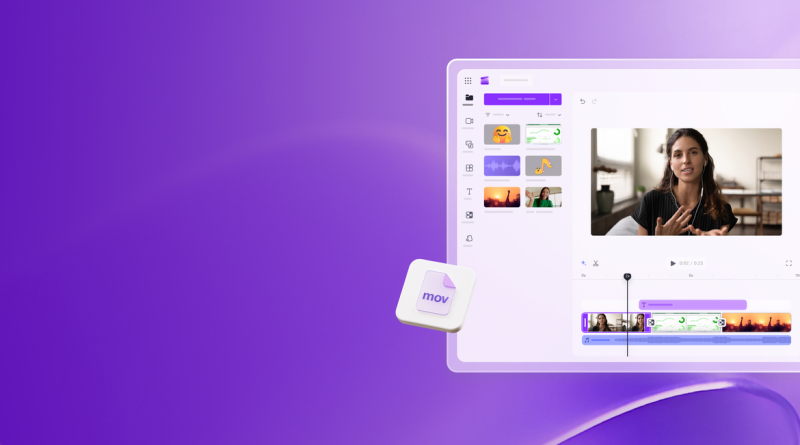
Microsoft Clipchamp in 2026: AI Editing Becomes the Default Story
**News analysis:** Clipchamp’s 2026 arc is less about “Microsoft bought a simple editor” and more about folding AI cleanup, transcript editing, and Copilot-flavoured generation into the everyday Microsoft 365 video path. The product is still a social-and-explainer tool — not Premiere — but the update cadence shows where Microsoft wants non-editors to finish videos.
*Researched news-style overview from Clipchamp’s what’s-new pages and Microsoft 365 roadmap items — not a hands-on lab of every Copilot-licensed tenant.*
What changed (and why it matters)
Clipchamp continues to ship practical editor upgrades: AI noise suppression, silence removal, auto compose for short videos, AI subtitles, image background removal, audio-only MP3 exports, richer transitions/templates, light/dark UI, and workflow helpers like grouping, resizers, and keyboard shortcuts. Separately, Microsoft 365 roadmap traffic in 2026 pointed to Copilot-licensed improvements such as stronger audio for Copilot AI-generated video projects (realistic voiceover, sound effects, mixing) targeting general availability mid-year, plus new text/shape animation controls later in the year.
Read together, the story is clear: Microsoft is reducing the number of reasons a Word/PowerPoint user must open a separate creative suite for a three-minute explainer.
What works in that strategy
- **Zero-new-vendor friction.** For tenants already in Microsoft 365, Clipchamp is a familiar sign-in away.
- – **AI on the boring parts.** Silence, noise, captions, and transcript-based trims attack the time sinks that block managers from publishing.
- – **Cross-surface access.** Web editor plus Windows app coverage matches how mixed fleets actually work.
- – **Template velocity.** Business and education templates keep “good enough” brand-adjacent output moving.
What still frustrates teams
- **SKU confusion.** Free web Clipchamp, Windows bundled paths, Microsoft 365 entitlements, Essentials/4K notes, and Copilot add-ons do not map 1:1 in every tenant. Admins must verify who gets which AI feature.
- – **Ceiling vs CapCut/NLEs.** Trend-chasing social editors and colour-critical suites still win specialised briefs.
- – **Roadmap lag.** “In development” audio and animation items are promises until they appear in your build — plan training after GA, not after a blog headline.
- – **Governance.** AI voice and generated stock need brand and legal review like any other generative media.
Practical pricing / access note
Clipchamp’s consumer and Microsoft 365 packaging differs by region and licence. Some AI tools are marketed as broadly available in the free web editor; other Copilot-enhanced generation paths require Microsoft 365 Copilot. 4K save paths have been tied to paid Essentials-style entitlements in Microsoft messaging. **Verify in your admin centre and in-app account panel** before promising features in a company playbook.
Who should care / who can ignore
- **Care:** Comms, HR, L&D, and SMB marketers already standardised on Microsoft 365.
- – **Care:** IT teams reducing Shadow IT from random mobile editors.
- – **Ignore (for now):** Finishing artists who need advanced colour, complex audio buses, or multi-cam drama.
- – **Watch:** CapCut-heavy social teams — Clipchamp is catching AI convenience, not necessarily TikTok template culture.
Applorable take
The Clipchamp news in 2026 is incremental but directional: AI cleanup and Copilot generation are becoming table stakes inside Microsoft’s editor, while animations and audio polish try to close the “looks unfinished” gap. Treat roadmap IDs as signals, ship on features you can click today, and keep CapCut or a full NLE in the stack where the brief demands them. Clipchamp’s win condition is not winning every edit — it is winning the edit that otherwise would never ship.
Disclosure: No affiliate links in this review.