
Loom Review 2026: Async Video That Still Earns Its Seat
Verdict: Loom remains the default for short async video updates, product demos, and support walkthroughs — not a replacement for a full editor. Worth the seat if your team already lives in Slack/Atlassian; skip if you only need occasional clips or want AI editing included at a lower price.
Best for: Remote and hybrid teams who record screen+cam explainers, onboarding clips, and customer replies that should be watched on demand.
Not for: Creators who need timelines, colour grade, multi-track audio, or long-form YouTube production.
Researched 2026 overview based on public product/pricing pages — not a logged hands-on lab of every feature.
What it is
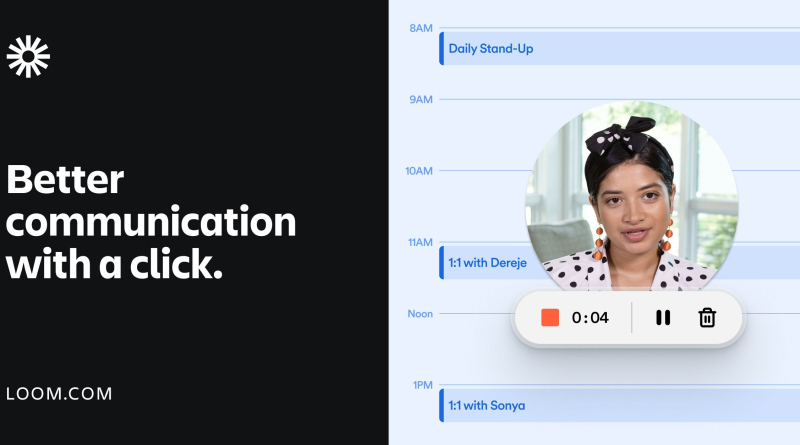
Loom is an asynchronous video messaging tool: hit record on screen, camera, or both, then share a link. Viewers watch without installing anything, leave comments on the timeline, and (on paid plans) see engagement insights. After Atlassian’s acquisition it sits closer to Jira/Confluence workflows, which helps if that is already your stack and matters less if it is not.
In 2026 the product still optimises for “record once, watch when ready” rather than live meetings. Meeting recording and transcription appear on current plans, but the core job remains short status updates, bug walkthroughs, and sales demos that replace a thirty-minute call.
Who it’s for
Product managers, support leads, sales engineers, and founders who explain UI changes faster by pointing at the screen than by writing a novel in Slack. It also suits customer-facing teams that want a branded player, password links, and proof that a prospect actually watched the demo.
Individuals can start on Starter; serious teams will feel the twenty-five-video and five-minute caps quickly and move to Business or Business + AI.
Strengths
- Speed to share: Record, get a link, paste into Slack or email — no export ritual for day-to-day work.
- Viewer experience: Comments, emoji reactions, chapters and summaries on the AI tier, plus watch analytics, show whether the message landed.
- Workspace hygiene: Personal, shared, and team libraries, with branding controls on Business, keep libraries usable.
- AI that serves async video: On Business + AI, auto titles, summaries, chapters, filler and silence removal, and transcript-based editing reduce re-recording pain.
- Integrations: Slack, Jira/Confluence, GitHub, Notion embeds, and deeper Atlassian admin options on Enterprise.
Trade-offs / Limits
- It is not Descript, CapCut, or Premiere. Complex cuts, multi-cam, and heavy post are the wrong job for Loom.
- Starter’s twenty-five-video and five-minute limits are real training wheels; process documentation burns through them fast.
- AI features sit on the higher Business + AI tier (publicly listed around the mid-twenties dollars per user per month on monthly billing). Teams that want transcription-style AI without that upsell should compare alternatives.
- Reliability complaints still show up in public reviews — treat long critical recordings with a backup habit.
Pricing
High-level from Loom’s public pricing page (confirm live before you buy): Starter free with capped videos and length; Business roughly $18 per user per month for unlimited recording and branding basics; Business + AI roughly $24 per user per month for the AI suite; Enterprise custom with SSO/SCIM-style controls. Annual billing typically saves around the mid-teens percent. Only creators need seats; viewers are free.
Verdict / Who should buy
Buy Loom if async video is a weekly habit and you value share links, comments, and Atlassian-adjacent workflows more than a cheap AI editor. Choose Business when unlimited length matters; choose Business + AI when auto chapters, filler removal, and transcript edits will actually save hours. If you record a handful of clips a month, stay on Starter or pick a lighter recorder. If you need a real editor, use Loom for messaging and keep a proper NLE for production.
Pricing
High-level from Loom’s public pricing page (confirm live before you buy): Starter free with capped videos and length; Business roughly $18 per user per month for unlimited recording and branding basics; Business + AI roughly $24 per user per month for the AI suite; Enterprise custom with SSO/SCIM-style controls. Annual billing typically saves around the mid-teens percent. Only creators need seats; viewers are free.
Verdict / Who should buy
Buy Loom if async video is a weekly habit and you value share links, comments, and Atlassian-adjacent workflows more than a cheap AI editor. Choose Business when unlimited length matters; choose Business + AI when auto chapters, filler removal, and transcript edits will actually save hours. If you record a handful of clips a month, stay on Starter or pick a lighter recorder. If you need a real editor, use Loom for messaging and keep a proper NLE for production.