
Bear Review 2026: Markdown Notes Done Beautifully on Apple
Verdict: Bear remains the loveliest Markdown notes app in the Apple ecosystem in 2026 — fast, typographically careful, and tag-organized. Pay for Bear Pro if you sync iPhone/iPad/Mac; the free single-device app is enough to evaluate the writing feel.
Best for: Writers, students, and professionals who live on iPhone, iPad, and Mac and want beautiful Markdown notes with nested tags — not a database or team wiki.
Not for: Windows/Android/Linux users, teams that need real-time collaboration, or people building Notion-style project systems inside notes.
Researched 2026 overview based on public product/pricing pages — not a logged hands-on lab of every feature.
What it is
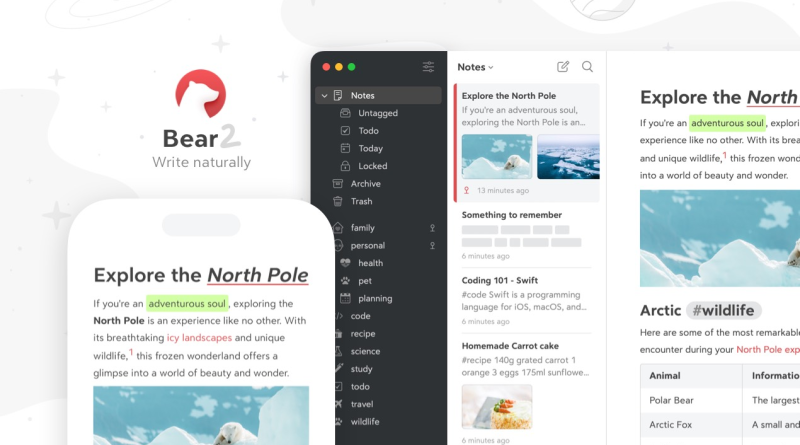
Bear (Shiny Frog) is a Markdown notes app for iOS, iPadOS, and macOS. Notes are plain enough to export, but the editor focuses on readability: themes, typography controls, #nested/tags, backlinks-style linking in Bear 2, Todo lists, tables, and document scanning. Organization is tag-first rather than deep folder trees.
Bear Pro unlocks iCloud sync across devices, encryption options, richer export (PDF, DocX, ePub, etc. depending on current FAQ), in-note image/PDF text search, and the full theme/icon set. The free tier remains a serious writer on one device.
Who it’s for
Journalists, researchers, students, and indie writers who draft on iPhone in line queues and finish on Mac. Apple-only households that already pay for iCloud. People migrating from Apple Notes who want proper Markdown export without Notion’s database complexity. Not a fit for Android teammates or for turning notes into a company OS. If your library is already a dense Obsidian/Logseq graph, expect a mindset shift — Bear rewards focused writing more than query-driven PKM.
Strengths
- Writing experience: Typography and themes are a genuine differentiator versus utilitarian Markdown apps.
- Tag taxonomy: Nested tags scale personal libraries without heavy folder management.
- Apple-native: Handoff, widgets, Shortcuts, and Focus-friendly workflows feel first-party.
- Fair Pro pricing: Roughly $2.99/month or $29.99/year for sync and extras — cheap versus Notion/Evernote annuals.
- Portable text: Markdown-centric export reduces lock-in anxiety.
- Focus-friendly extras: Todos, tables, info callouts, and document scanning cover most personal capture without leaving the editor.
Trade-offs / Limits
- Apple-only — no official Windows/Android/web client for mixed-OS lives.
- Pro is effectively required for multi-device sync; free is single-device oriented.
- Collaboration is minimal — share exports, not live multiplayer editing.
- Not a database: linked databases, rollups, and team permissions are out of scope.
- Power users who want plugins/graph views may prefer Obsidian or Logseq instead.
- Advanced team features (shared workspaces, roles, audit logs) are intentionally out of scope — Bear stays personal.
Pricing
From Bear’s FAQ and App Store listings (confirm live; regional pricing varies): Free for local/single-device use with core editing. Bear Pro about $2.99/month or $29.99/year, one subscription covering devices on the same Apple ID, with a 14-day trial commonly advertised. Pro typically includes iCloud sync, note encryption / app lock features, advanced export formats, image/PDF search, and extra themes/icons. Education discounts appear via Bear’s support process in public materials.
Verdict / Who should buy
Buy Bear Pro if you write daily across iPhone and Mac and care how notes look. Stay free to test the editor on one device. Choose Obsidian/Logseq for local graphs and plugins, Notion for team workspaces, or GoodNotes for handwriting. For Apple Markdown elegance at a low subscription, Bear is still an easy recommend in 2026.