
BetterTouchTool Review 2026: Still Worth a One-Time Mac License?
Verdict: BetterTouchTool (BTT) remains one of the highest-leverage Mac utilities if you will remap inputs and chain actions. There is no permanent free tier beyond a long trial. Buy the Standard License (about $15 one-time; updates for two years, then keep the last eligible version) for personal Macs; choose the Lifetime License (about $25 one-time; updates while BTT exists, plus eligibility for other Folivora Mac apps released in the following two years) if you want ongoing updates; or take Setapp if you already subscribe for a basket of Mac apps. A 45-day trial with no account required is the honest way to decide.
Best for: Power users who customize trackpads, mice, keyboards, Stream Decks, and floating menus daily.
Not for: Casual Mac users who only want one window-snapping shortcut.
Researched 2026 overview from folivora.ai and folivora.ai/buy — country/tax changes the checkout total. Confirm live price in the purchase dialog.
What it is
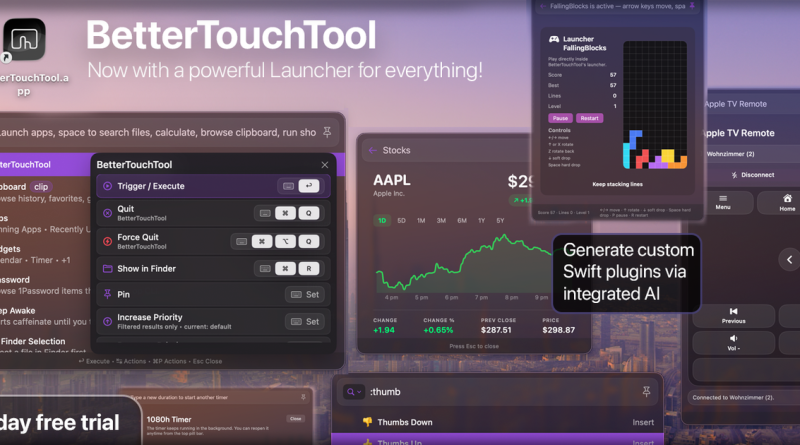
BetterTouchTool maps hundreds of triggers (gestures, buttons, key sequences, MIDI, Stream Deck, macro pads) to hundreds of actions, including window management, clipboard tools, floating menus, a Spotlight-style launcher, scripting, and custom AI agents that call external model providers. One personal license covers your Macs and unlocks the BTT Mobile companion for iPhone/iPad. Confirm live packaging on folivora.ai/buy.
Pricing (2026)
Prefer Lifetime if you already know BTT is a daily driver — the delta over Standard is small compared with years of updates. Standard is fine for budget buyers who are happy freezing on a known-good build after two years. Setapp makes sense when BTT is one of many apps you would otherwise buy separately; it is a subscription, not a Folivora lifetime. Corporate usage and multi-seat rules live in the license terms — do not assume a single personal license covers a whole IT fleet.
Exact dollar amounts depend on country and taxes; the public page lists approximate $15 / $25 figures with the real total shown at Paddle checkout. Refunds and merchant-of-record details are documented on the buy page.
Strengths
- Unmatched depth of input remapping and action chaining on macOS.
- Native Stream Deck and many macro-pad brands without vendor bloatware.
- One-time license option in a world of subscriptions.
- Long trial removes most purchase regret risk.
Limits
- Learning curve is real — presets help, but power features take time.
- Over-automation can create fragile personal configs after macOS upgrades.
- Not a cross-platform tool; Windows/Linux users need other stacks.
- AI agent features depend on your own model keys and governance.
Who should buy
Developers, designers, and ops folks who already think in shortcuts should trial BTT immediately. Light users who only need rectangle-style snapping may prefer a simpler utility. IT buyers should read corporate license terms before imaging BTT onto dozens of Macs from one personal key.
Practical setup path: start with window snapping and a few trackpad gestures during the trial, then add the launcher and clipboard manager once those stick. Only then experiment with Stream Deck pages or AI agents. Most regret purchases happen when people buy Lifetime on day one without surviving a real work week of remaps. Save your preset exports so a macOS upgrade cannot erase a month of configuration work.
Bottom line
Best for Mac power users who will invest a weekend configuring gestures and menus. Not for one-shortcut shoppers. Trial 45 days, Standard if budget-tight, Lifetime if BTT is infrastructure, Setapp if you already rent the suite — then confirm live checkout totals. Versus Hammerspoon, BTT wins approachability; versus stock macOS shortcuts, it wins depth.