
Bear Notes Review 2026: Free vs Pro — Still the Best Apple Markdown Notebook?
Verdict: Bear remains one of the best Apple-ecosystem writing notebooks in 2026 — Free works on a single device; Bear Pro (~$2.99/mo or ~$29.99/yr) unlocks iCloud sync, encryption and lock, advanced exports, themes, and OCR search. Buy Pro when you live across iPhone, iPad, and Mac; skip it if one device and basic export are enough. There is no Windows or Android client — that is the deliberate trade.
Best for: Writers and professionals deep in Apple hardware who want beautiful Markdown notes.
Not for: Cross-platform teams, Android users, or Notion-style database builders.
Researched 2026 overview based on bear.app FAQ and App Store listings — regional App Store prices and trial length can vary. Confirm live.
What it is
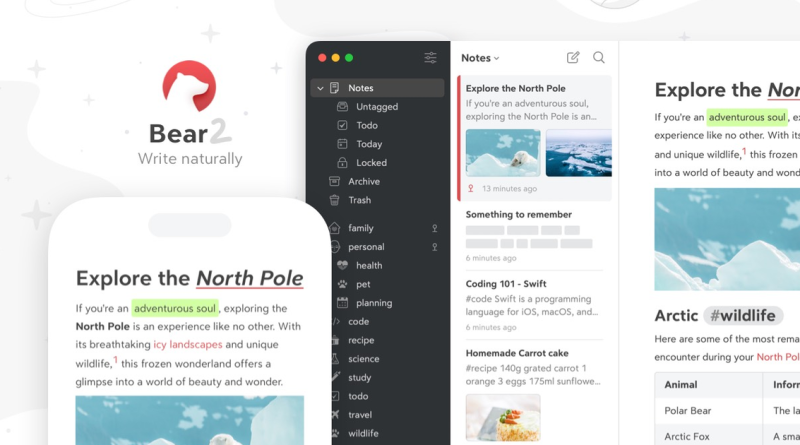
Bear is a Markdown-friendly notes app for iPhone, iPad, and Mac with nested tags, wiki-style links, and a distraction-light editor. Public materials cite Free single-device use; Bear Pro about $2.99/month or $29.99/year via the App Store, covering all devices on the same Apple ID, with a short free trial (FAQ commonly cites about a week; store copy may differ — confirm live). Pro adds iCloud sync, note encryption, app lock, richer exports (PDF, HTML, DOCX, and more), themes and icons, and OCR inside images and PDFs. See Bear’s Pro FAQ.
Who it’s for
Journalers, students, lawyers, and creators who write long-form on Apple devices. People who want tags instead of deep folder trees. Anyone migrating from Apple Notes who wants better Markdown export hygiene. Teams needing shared workspaces should look elsewhere — Bear is personal productivity, not a company wiki.
Strengths
- Typography and themes that make daily writing feel calm, not utilitarian.
- Pro pricing is modest versus Notion or Obsidian Sync for Apple-only users.
- Markdown portability reduces lock-in anxiety versus proprietary notebooks.
- iCloud sync on Pro avoids a separate sync vendor account for many users.
Trade-offs
- Apple-only — no official Windows, Android, or full web editor.
- Free without sync is an evaluation or single-device mode, not a multi-device system.
- Collaboration is minimal compared with Notion or even shared Obsidian vaults.
- App Store regional pricing and tax vary; refunds go through Apple, not Bear support.
Buying notes & pricing
Try Free on one device first. Subscribe annual Pro (about $29.99) if you already know multi-device sync matters — monthly (about $2.99) is fine for a short pilot. One Pro subscription covers devices on the same Apple ID. Cancel in App Store settings before renewal if sync did not stick. Do not buy Pro hoping for team features that are not the product’s focus. Confirm trial length and local currency on your App Store page.
Re-check official pricing at purchase time — annual discounts, regional tax, and AI add-ons drift.
How it compares
Versus Apple Notes: Notes is free and good enough for many; Bear wins Markdown polish, themes, and export depth on Pro. Versus Obsidian: Obsidian wins plugins and cross-platform vaults; Bear wins Apple writing delight. Versus Notion: Notion wins databases and collaboration; Bear wins focused prose. Versus Craft or iA Writer: compare publishing models separately.
If any critical device is Windows or Android, stop — Bear cannot be your system of record.
Verdict
Best for Apple-only writers who want a beautiful Markdown notebook. Not for cross-platform or team wikis. Stay Free on one device, buy Pro for iCloud sync and Pro exports or themes, and confirm App Store pricing live in your region.