
Bitwarden Review 2026: Open-Source Password Manager That Still Wins Value
Verdict: Bitwarden remains the best value password manager in 2026 for individuals and cost-conscious teams who want audited open-source clients, a capable free tier, and optional self-hosting. Pay Premium for TOTP and advanced personal features; choose Teams/Enterprise when admin and policies matter.
Best for: Privacy-minded users, families on a budget, and orgs that want transparent clients plus optional self-host.
Not for: Buyers who want the most polished family UX above all else (try 1Password) or Apple-only households happy with Passwords.app.
Researched 2026 overview based on public product/pricing pages — not a logged hands-on lab of every feature.
What it is
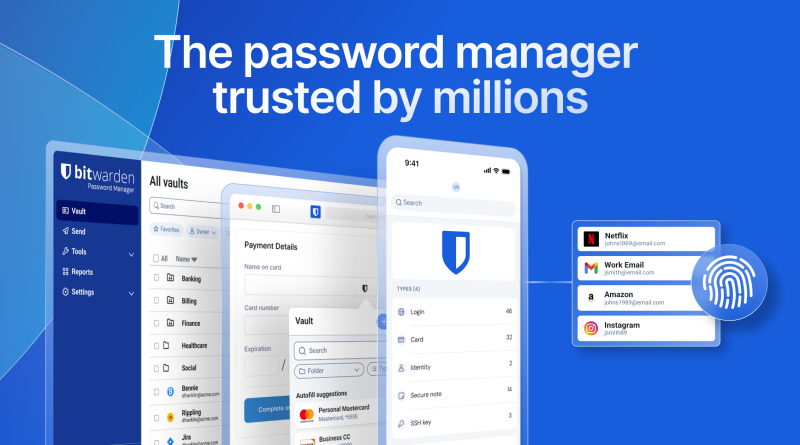
Bitwarden is a cross-platform password manager (apps, browser extensions, CLI) with cloud sync by default and a self-host option for organizations that need it. Free covers core vaults for individuals. Premium and Families add personal power features. Teams and Enterprise add admin controls, and Enterprise includes self-host rights on public plan stories.
Who it’s for
Anyone escaping browser-built-in password chaos, freelancers sharing a few logins, and IT leads comparing Bitwarden vs 1Password on price and auditability. Developers who want a CLI and SSH-agent workflows should confirm current Bitwarden desktop/CLI features against their daily toolchain before standardizing.
Strengths
- Price: Premium around twenty dollars a year is hard to beat for TOTP and vault attachments.
- Open-source clients: Transparency that many closed managers do not match.
- Free tier that works: Unlimited devices for core password storage.
- Self-host path: Relevant for regulated or sovereignty-minded deployments.
- Passkeys and modern auth: Keeps pace with browser and OS password features as sites migrate away from passwords-only logins.
Trade-offs / Limits
- Family sharing UX is good enough, not always as glossy as 1Password.
- Self-hosting shifts ops burden to you — backups and updates are your problem.
- Enterprise SSO/SCIM expectations should be verified on the current Enterprise sheet.
- Autofill polish varies by browser and OS — test your daily sites.
- Support tiers differ; free users should not expect concierge onboarding.
Buying notes
Migrate in layers: install extensions, import browser passwords, enable a vault master-password + MFA, then turn on TOTP on Premium. Families plans beat five individual Premiums when a household shares logins. For companies, decide cloud vs self-host before rolling out — self-host only if you already run backups and patching well. Export an encrypted emergency kit and store recovery materials offline.
Pricing
From Bitwarden’s public pricing (confirm live): Free $0 for individuals. Premium about $1.65/month billed annually ($19.80/year). Families about $3.99/month billed annually ($47.88/year) for up to six users. Teams about $4/user/month annually. Enterprise about $6/user/month annually with advanced controls and self-host options. Taxes extra; always verify at checkout.
How it compares
Against 1Password, Bitwarden wins on open source and price; 1Password often wins on polished sharing and Travel Mode storytelling. Against Proton Pass, Bitwarden wins on ecosystem maturity for many users; Proton may win if you already buy into Proton’s privacy suite. Against Apple Passwords, Bitwarden wins cross-platform; Apple wins zero-extra-cost inside Apple’s world. Against KeePass, Bitwarden wins on sync UX; KeePass wins pure local-file purists.
Verdict / Who should buy
Use Free until you need TOTP-in-vault or advanced Premium features. Buy Families when six people share a home plan. Choose Teams/Enterprise for org admin — and only self-host if you can operate it. Do not delay migration over perfect tool choice; reused passwords are the real risk.