
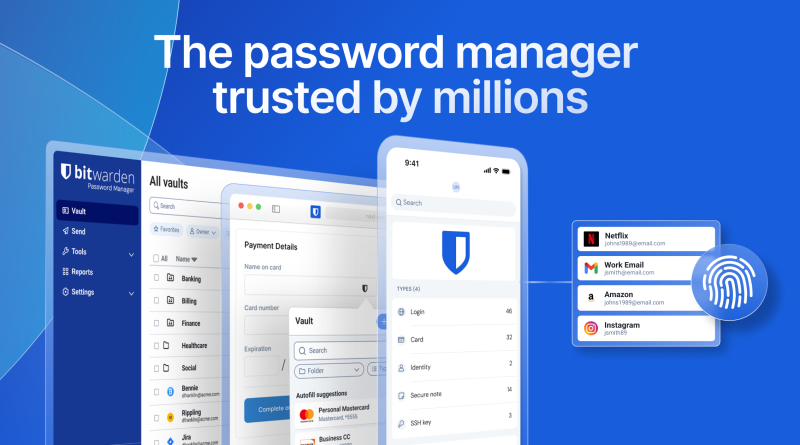
How to Choose a Password Manager in 2026: Bitwarden vs 1Password vs Proton Pass vs Apple
Verdict: Choose a password manager by platform coverage, sharing model, and threat model — not by landing-page aesthetics. In 2026, Bitwarden wins open-source value, 1Password wins polished family/team UX, Proton Pass wins Proton-suite privacy bundling, and Apple Passwords wins zero-cost Apple-only households. Pick the constraint you cannot violate, then migrate once.
Best for: People still reusing passwords or stuck in browser silos who need a decision framework.
Not for: Buyers hunting one app that is simultaneously free, fully audited, and identical on every obscure OS with corporate SSO.
Researched 2026 overview based on public product materials — not a penetration test.
What decision you are actually making
Password managers fail when you optimize for features instead of failure modes. Ask: Which devices must autofill this week? Who must share vaults? Do you need TOTP in-vault, passkeys, and travel/lockdown workflows? Will IT require SSO later? Answer those before comparing AI password features. A “good enough” manager you finish migrating into beats a perfect one you never finish setting up.
Option map
- Bitwarden: Strong free tier, cheap Premium (~$19.80/year), Families/Teams/Enterprise, optional self-host. Best value and transparency play.
- 1Password: Individual commonly about $3.99/month annually (promos vary), Families about $5.99/month annually for five seats — confirm live. Best polish and sharing UX for many households.
- Proton Pass: Free tier plus paid Pass plans often bundled in Proton ecosystems — check current Proton Pass pricing page. Best if you already pay for Proton Mail/VPN.
- Apple Passwords: Free on Apple platforms with iCloud Keychain lineage. Best when everyone is on Apple and cross-platform is rare.
Decision framework
- Platform veto: Android + Windows + Linux in daily use → shortlist Bitwarden/1Password/Proton. Apple-only → Apple Passwords is enough for many.
- Sharing veto: Family of five needing easy vaults → 1Password Families or Bitwarden Families. Solo → Free Bitwarden or Apple.
- Budget veto: Minimize spend → Bitwarden Free/Premium or Apple. Willing to pay for polish → 1Password.
- Privacy suite veto: Already in Proton → evaluate Proton Pass before adding a fourth vendor.
- Org veto: Need SSO/SCIM soon → compare Bitwarden Enterprise vs 1Password Business (check current sheets).
Practical setups that work
Solo freelancers: Bitwarden Premium for TOTP. Apple household: Apple Passwords + Bitwarden only if a Windows PC appears. Mixed family: 1Password Families or Bitwarden Families. Proton maximalists: Proton Pass for credentials aligned with Mail/VPN. Export emergency kits and store recovery keys offline regardless of brand.
Common traps
- Keeping passwords only in one browser profile with no export plan.
- Paying for two managers “during migration” for a year.
- Ignoring phishing-resistant MFA on the vault itself.
- Choosing Apple Passwords while daily-driving Android.
Migration checklist
Pick the winner, export from browsers, import, enable MFA on the vault, replace reused passwords on email/banking first, then turn off browser save prompts. Keep the old store read-only for two weeks as a safety net, then delete it. Store emergency/recovery kits offline. If you later join a company SSO vault, keep a personal vault for non-work logins — never mix employer-owned vaults with private banking credentials.
Verdict / Who should choose what
Default Bitwarden for value and openness. Default 1Password when sharing UX and polish justify the subscription. Default Proton Pass inside a Proton stack. Default Apple Passwords for Apple-only simplicity. Revisit only when platforms or sharing requirements change — not when a launch blog post drops.