
Krisp Review 2026: AI Noise Cancellation That Still Earns the Seat
Verdict: Krisp remains the clearest “fix my call audio first” pick in 2026 — especially if you need on-device noise cancellation that works across Zoom, Teams, Meet, and phone soft clients. Pay for Core if noise and AI notes are daily; skip if built-in OS/Zoom filters already cover a quiet office.
Best for: Remote workers, support agents, and hybrid teams who take frequent calls in noisy homes or open offices and want cleaner audio plus meeting notes without a separate bot-heavy stack.
Not for: Occasional callers who already get clean audio from a good headset and Zoom/Teams noise suppression, or teams that only need transcription and already own Otter/Fireflies.
Researched 2026 overview based on public product/pricing pages — not a logged hands-on lab of every feature.
What it is
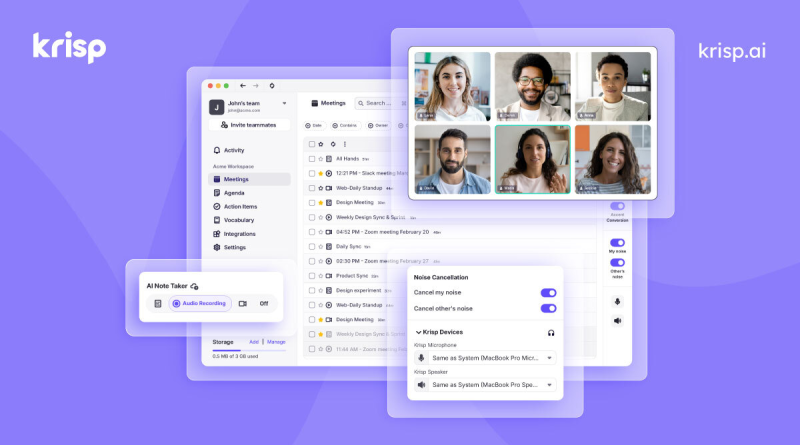
Krisp is an AI voice layer that sits between your mic/speakers and meeting apps. Its original job — real-time noise, echo, and cross-talk cancellation — still defines the brand. In 2026 the Meeting AI product also records, transcribes, and summarizes calls, with accent-conversion options on higher tiers and a separate Call Center AI line for contact centers.
Unlike meeting bots that join as a participant, Krisp typically runs as a local virtual audio device / app, so it can clean audio for any client that uses your system mic. That “works everywhere” design is the main reason teams keep it even when Zoom and macOS already ship basic noise filters.
Who it’s for
Individuals and small teams who live on back-to-back calls, parents WFH with kids and dogs in the background, and ops/support roles where sounding professional matters more than another AI chat toy. Call-center buyers should evaluate the dedicated CC plans separately from Meeting AI Core/Advanced. Developers embedding voice clarity look at Krisp’s developer APIs rather than the meeting SKU.
Strengths
- Noise cancellation that travels: Works across major meeting apps rather than locking you into one vendor’s filter.
- On-device processing reputation: Public materials emphasize local noise handling — useful for privacy-conscious buyers comparing cloud-only note bots.
- Meeting AI bundled: Core includes unlimited noise cancellation plus transcription/AI notes on current pricing pages — one seat can cover “clean audio + notes.”
- Call-center path: Separate agent pricing with voice isolation and after-call summaries if that is your actual buying center.
- Integrations: Slack, Teams, Notion, HubSpot, Zapier, and MCP listed on Core; Salesforce/ConnectWise on Advanced.
Trade-offs / Limits
- After the 7-day trial, the ongoing free allowance is capped — daily callers will hit it fast and need Core.
- Monthly billing doubles the annual rates (Core ~$16 vs ~$8/user/mo annual; Advanced ~$30 vs ~$15).
- Accent conversion is metered on Core (about 1 hour/day on public tables) and more generous on Advanced — check your accent use case before upgrading.
- Built-in Zoom/Teams/OS filters are “good enough” for many quiet offices; Krisp has to beat that delta, not just exist.
- Enterprise SSO/SCIM, on-device private transcription, and BAA-style options sit on Enterprise — not Core.
Pricing
From Krisp’s public Meeting AI pricing (confirm live before you buy): 7-day Free Trial with full features; then limited free use. Core about $8/user/month billed annually ($16 monthly) with unlimited noise cancellation and AI note-taker, ~10 GB storage. Advanced about $15/user/month annual ($30 monthly) for more accent conversion, admin/manager views, and Salesforce/ConnectWise. Enterprise custom. Call Center Core is listed separately around the mid-teens per agent/month annually on current pages — talk to sales for volume.
Verdict / Who should buy
Buy Krisp Core if call clarity is a weekly pain and you want notes in the same seat. Choose Advanced when CRM admin controls or heavier accent conversion matter. Stay on built-in OS/Zoom tools if your room is quiet and you already pay for another notetaker. Compare headset hardware vs software first — a solid mic plus free filters can beat a subscription for light use. For a buyer framework vs OS/Zoom vs hardware, see our companion how-to in this pack.