
TickTick Premium review: a mobile-first task app that still respects discipline
Review approach: This is a researched review built from official product pages, documentation, pricing pages, and release materials rather than a fresh hands-on lab test.
Task apps often break in one of two directions: they stay too small to support serious planning, or they become elaborate systems that make adding a task feel like opening a project-management suite. TickTick remains interesting because it tries to sit in the middle.
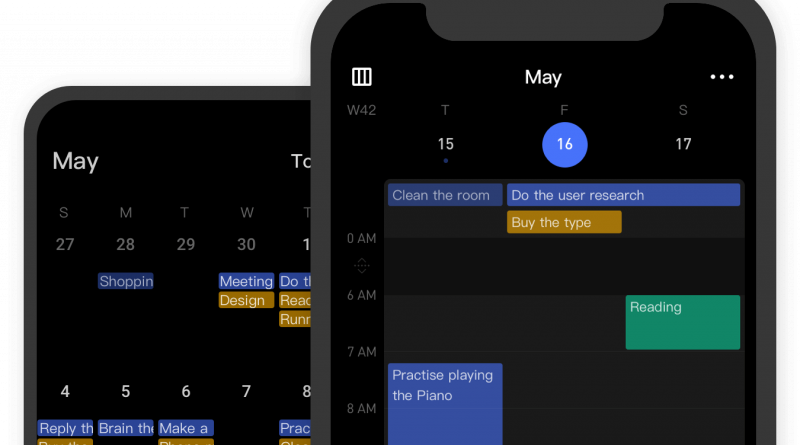
Its premium pitch still revolves around practical upgrades: fuller calendar views, more filters and structure, history, widgets, reminders for checklist items, and focus-oriented extras. The question is whether that bundle helps disciplined work or simply decorates it.
What the product actually does
TickTick is a cross-platform to-do and calendar app, but its mobile experience is central to its identity. The official site highlights its reach across iOS, iPadOS, Android, desktop platforms, web, and browser extensions, which matters because task tools fail when they are not available where the thought appears.
Premium extends the app with broader calendar functionality, deeper filtering, more project capacity, history, statistics, and mobile-focused conveniences like widgets and Android quick-add options.
What stands out
The product still looks strongest when you value breadth that remains personal rather than enterprise-shaped.
- Strong platform coverage with mobile clearly treated as a first-class surface.
- Premium adds useful structure and calendar views without turning the product into a full project suite.
- The app appears to balance tasks, reminders, calendar context, and focus tools reasonably well.
- Pricing is still accessible compared with many heavier productivity subscriptions.
Pricing, platforms, and practical limits
TickTick’s upgrade page currently advertises a limited-time annual Premium offer at US$35.99, marked down from US$49.99. The company also notes refund availability within 14 days after purchase, depending on platform and purchase channel.
That makes it comparatively affordable, but buyers should still ask whether the free version already covers most of their needs. Premium is easiest to justify when calendar views, filters, or history materially improve day-to-day planning.
Where caution is still warranted
- People who want a simpler, lighter task-only system may still prefer a narrower tool.
- Feature bundling can become clutter if you never use the focus or calendar extras.
- As with most task apps, the real limitation is personal consistency, not missing features.
Who it suits best
TickTick Premium looks best for users who want one app for tasks, reminders, and calendar-aware planning, especially if the phone is their main capture and check-in surface.
It is also attractive for people who find pure task managers too plain but enterprise tools far too heavy.
Verdict
TickTick Premium still looks like a sensible middle-ground choice. It does not promise a productivity revolution. It promises a capable mobile-first task system with enough structure to matter, and that can be exactly the right promise.