
Webflow Review 2026: Starter, Basic, Premium, Team, Enterprise — Which Site Plan Fits?
Verdict: Webflow is still the visual web platform to beat when design control and hosting live together. Stay on Starter (Free, webflow.io domain, tight page/CMS/bandwidth caps) for experiments; buy Basic (about $15/mo billed yearly) for simple custom-domain sites without CMS needs; choose Premium (about $25/mo billed yearly — the content-rich tier that replaces older CMS-focused naming on the public page) when CMS collections, higher bandwidth, site search, and code components matter; escalate to Team Platform (about $2,500/mo, annual contract) or Enterprise (custom) when governance, localize bundles, AEO agents, and SLAs are procurement requirements.
Best for: Marketing and design teams that want production hosting without a separate CMS/host split.
Not for: Buyers who only need a cheap brochure and will never touch the Designer.
Researched 2026 overview from public webflow.com/pricing — Workspace seats, Optimize/Analyze/Localize add-ons, and Ecommerce plans stack on top of Site plans. Confirm live before annual renewal.
What it is
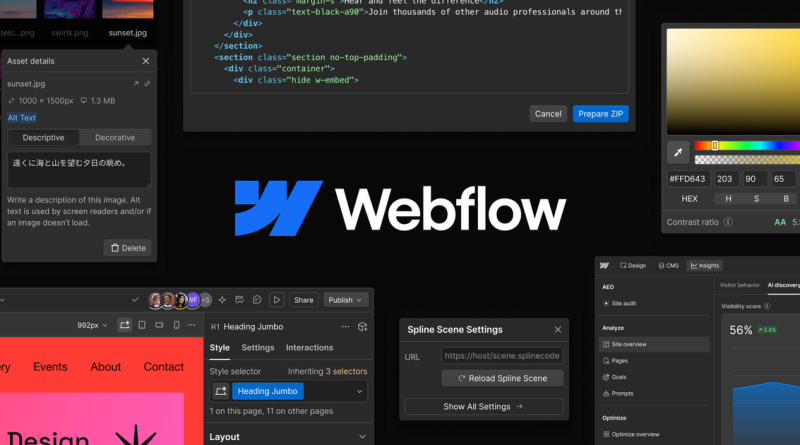
Webflow combines a visual Designer, CMS, hosting, interactions, Webflow AI, an MCP server callout on Site plans, and Webflow Cloud app hosting. Site plans publish and host; Workspace plans control staging seats and collaboration; Platform plans bundle site plus workspace controls for larger orgs. Confirm live matrices on webflow.com/pricing.
Pricing (2026)
Prefer yearly Site billing when the public toggle shows up to roughly 40% savings versus monthly. Basic unlocks custom domain, hundreds of static pages, and unlimited form submissions without CMS. Premium adds CMS item headroom, bandwidth tiers from tens of gigabytes upward, code components, and site search — model bandwidth honestly if you ship media-heavy pages. Team Platform is a sales-shaped annual commitment aimed at growing orgs that need publishing workflows, activity logs, foundational governance, and priority support. Enterprise adds granular roles, advanced governance, and custom SLAs.
Budget Workspace seats separately (Full seats commonly listed near $39/mo yearly; Limited near $15) plus optional Optimize, Analyze, Localize, and Ecommerce Standard/Plus/Advanced ladders. Starter alone is not a production custom-domain plan.
Strengths
- Designer-to-production path without handing every change to engineering.
- CMS + hosting + interactions in one vendor reduces glue work.
- Clear Free → Basic → Premium ladder for SMB sites.
- Enterprise/Team path exists when security questionnaires get serious.
Limits
- Total cost of ownership grows fast once seats, Optimize, and Localize stack.
- Starter’s two-page and bandwidth caps make it an evaluation lane only.
- Code export and dynamic CMS constraints still matter for hybrid stacks.
- Older “CMS/Business” blog posts are stale against 2026 Premium/Platform naming.
Who should buy
Solo marketers and agencies usually land on Basic or Premium per client site plus a paid Workspace. Mid-market brand teams shortlist Team Platform when publishing workflows and compliance appear. Global enterprises should engage Enterprise early. If WordPress plus a managed host already works and nobody will learn the Designer, stay put.
Also watch Ecommerce Standard/Plus/Advanced if you sell on Webflow (public yearly list prices commonly start near the high twenties per month for Standard and climb for Plus/Advanced with transaction-fee differences). Those are separate from Site Premium. For agencies, Freelancer/Agency Workspace tiers change staging and client-seat math — model the Workspace and Site lines as two invoices that must both clear procurement.
Bottom line
Best for teams that will actually use the Designer every week. Not for set-and-forget brochure buyers. Start Free on Starter, Basic for simple live sites, Premium for CMS depth, Team/Enterprise for governance — then confirm live Site, Workspace, and add-on math before you lock an annual contract. Versus Framer, Webflow wins CMS maturity; versus WordPress, it wins design control with less plugin risk.