
Screen Studio first look: why Mac creators keep reaching for it for polished demos
Editorial framing: This is an informed overview based on current official materials and public documentation, not a claim of full hands-on benchmarking.
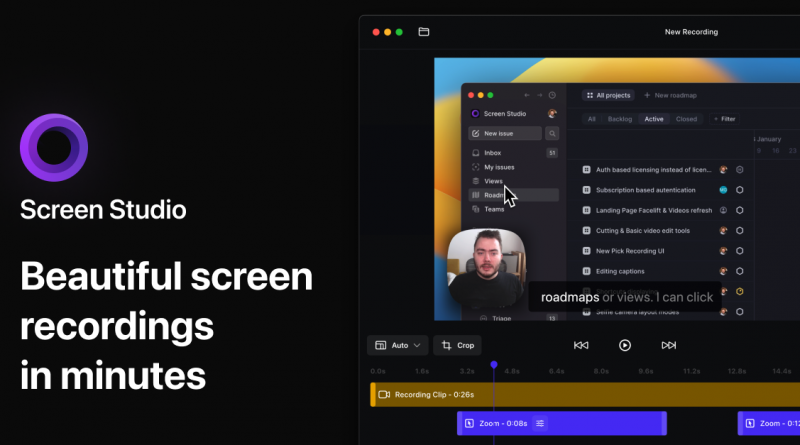
Screen Studio sits in an attractive category: creator tools that save time by making the default output look better than expected. The product’s official pitch is not subtle, but it is clear. It wants screen recordings to look polished in minutes, not after a detour through a heavier video-editing stack.
That is appealing because many demos, courses, changelog videos, and tutorials do not fail on content. They fail because turning raw screen capture into something watchable takes longer than the team can justify.
What it is trying to solve
Screen Studio is designed for macOS and oriented around screen recordings, webcam overlays, system audio, transcripts, subtitles, and mobile-device demos captured through the Mac. The product emphasizes automatic zooming, cursor smoothing, device framing, and shareable output.
The underlying promise is workflow compression: fewer steps between recording a useful thing and publishing a presentable thing.
What makes it interesting right now
The product is more relevant now because it has matured past a one-time-license novelty into a clearer subscription product with all features included, shareable links, and support for up to three personal macOS devices. The current site lists $29 monthly or $19 per month billed yearly, while still noting that older one-time-license users may have different account situations.
That pricing changes the buyer conversation. People now have to judge Screen Studio less as a one-off Mac utility and more as an ongoing production tool.
Pricing, platform support, and workflow fit
For regular course makers, product marketers, developer advocates, and founders recording demos often, that subscription can be reasonable. For occasional users, it is harder to justify when lighter tools and built-in capture options exist.
The product is Mac-only, which sharpens its focus but also limits relevance for mixed-platform teams hoping for one universal workflow.
Where it may not fit
- The subscription model will feel heavier to buyers who remember one-time-license expectations.
- Polished defaults can still hide the need for good scripting, pacing, and communication in the recording itself.
- Windows users or mixed teams will need an alternative toolchain.
Who should pay attention
Screen Studio looks best for Mac-based creators and product teams producing demos, onboarding clips, or course material frequently enough that editing time is a real cost center.
It is less convincing for people who only occasionally record a screen and do not care much about visual polish.
Editorial verdict
Screen Studio’s official materials make a persuasive case that the product solves a specific problem well: making demos look polished faster. If that problem is a recurring one in your work, the app is easy to take seriously.